Subscribe to our news:

 Partners
Testimonials
Mario Figueiredo: "I can safely forget all I know about SQL when using SQLite Maestro. It is that easy and intuitive to use. It is also nicely drawn with an easy and appealing interface that makes the sometimes boring tasks of database maintenance and administration more endurable.
The decision to support the non-commercial use of your software with a lower price is absolutely worth mentioning. For that alone, I thank you. For everything else, I say keep up the good work".
Johnattan Badden, Manager: "The software is easy to work with and most importantly, report management is extremely easy, even for a novice like me! I am able to create and edit my databases with a few clicks and easily maintain them afterwards. I highly recommend SQLite Maestro to educational institutions: it's easy and flexible, it is exactly what can be good for using in schools and colleges".
More
Add your opinion
Customers
|
SQLite Maestro online Help
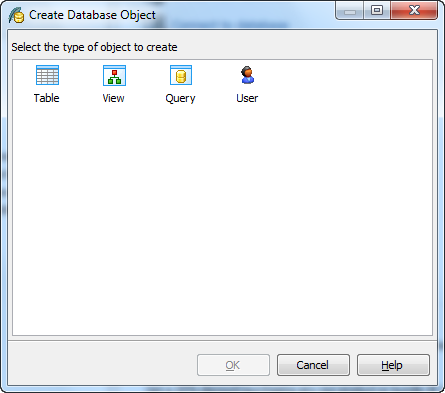
Create Database Object Dialog
The Create Database Object dialog allows you to create any type of database object supported by SQLite Maestro. To open the dialog select the Object | Create Database Object... main menu item or use the Shift+Ctrl+N hot keys combination. Select an object type icon and click the OK button to invoke the corresponding wizard or dialog.
|
Company news 
May 5, 2021
New version introduces new database encryption algorithms, support for generated columns, support for renaming and dropping columns using ALTER TABLE statement, and some other enhancements.
Nov 14, 2016
New version introduces support for FTS5 extension and expression-based indexes, new encryption algorithms in data grids, updated data export and data import tools, and some other useful things.
Jan 12, 2015
New version comes with support of user authentication and management, read-only database connections, colored tabs, and some other new features.
Feature of the day
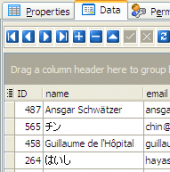
SQLite Maestro supports Unocode/UTF-8 data in grids.
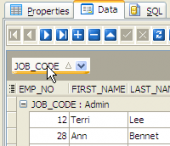
SQLite Maestro allows you to group data in grids by any table column(s).
|
|








 Download
 Buy
Buy